AI that waits for you
Chat like you would in the kitchen. GiKi can plan dinner, add a chore, check the fridge, or log a purchase - then it waits. Nothing is saved until you say yes.
Dinner, chores, money, and the pantry stop living in one person's head. Ask in plain language - GiKi looks it up, and you confirm before anything is saved. The whole household sees the same week.
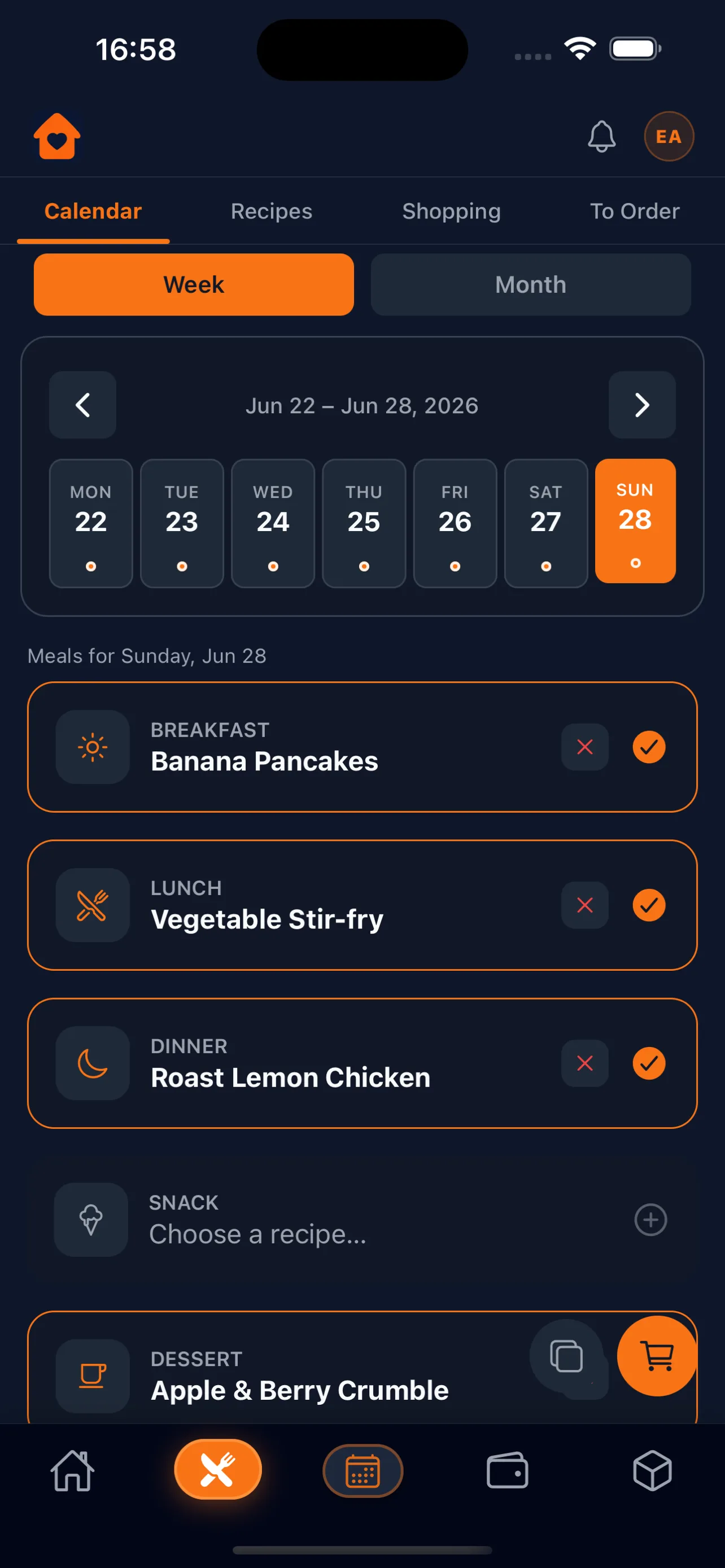
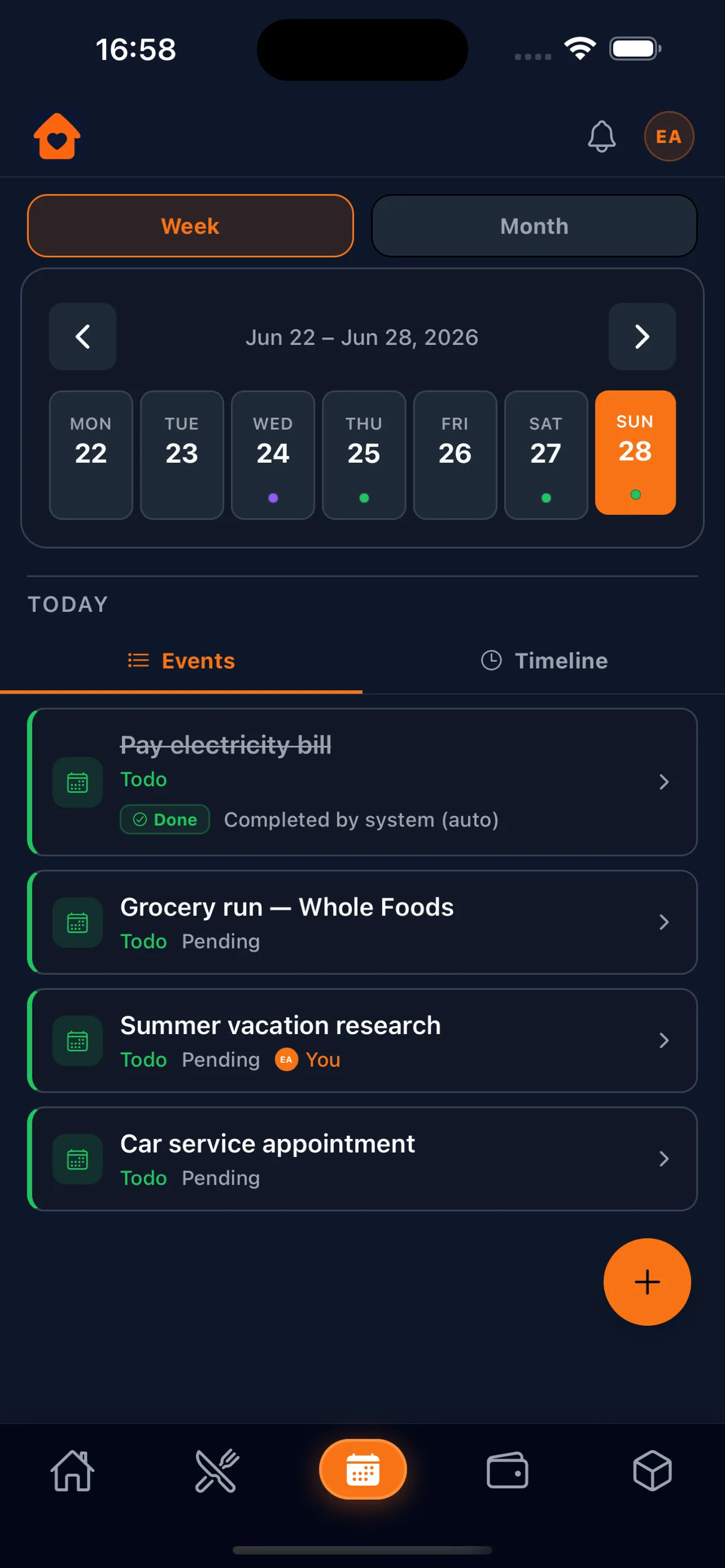
Ask GiKi, or tap it in yourself. Same household, live on every phone.
Chat like you would in the kitchen. GiKi can plan dinner, add a chore, check the fridge, or log a purchase - then it waits. Nothing is saved until you say yes.
Invite with a code or QR. Admins approve new members, and you can rotate the invite anytime. Meals, lists, tasks, and money become common knowledge - not a group chat that dies.
Plan breakfast through dessert for the week. Keep recipes with photos, reuse templates, and turn the plan into a shopping list. Thursday stops being a 6pm scramble.
Built from the meal plan, sorted by aisle. Tick things off in the shop or move them to a to-order queue for deliveries. Live for the whole household.
Fridge, freezer, and pantry in one inventory. Low-stock and expiry alerts, organised by aisle, so you stop buying a third mustard.
Add pantry items by barcode in seconds. Faster restocking, fewer typos, a stock list that matches the shelf.
Chores, todos, and events sit on one calendar with the meal plan. Assign it, repeat it, remind them - the load is visible, not implied.
Income, expenses, and transfers you enter yourself. Import or export CSV, set budgets, schedule bills - auto-post or approve when they're due. We never connect to a bank.
Save recipes with photos, browse a catalog, and share a private link. Another household imports a copy - they don't see the rest of your home.
Sign in with Apple on iPhone, Google on iPhone and Android, or email anywhere. Unlock with Face ID or device biometrics, and turn on optional two-factor authentication. You stay in control.
Meals, calendar, money, and the list - what everyone actually needs to see.
Dinner is decided
Who does what, and when
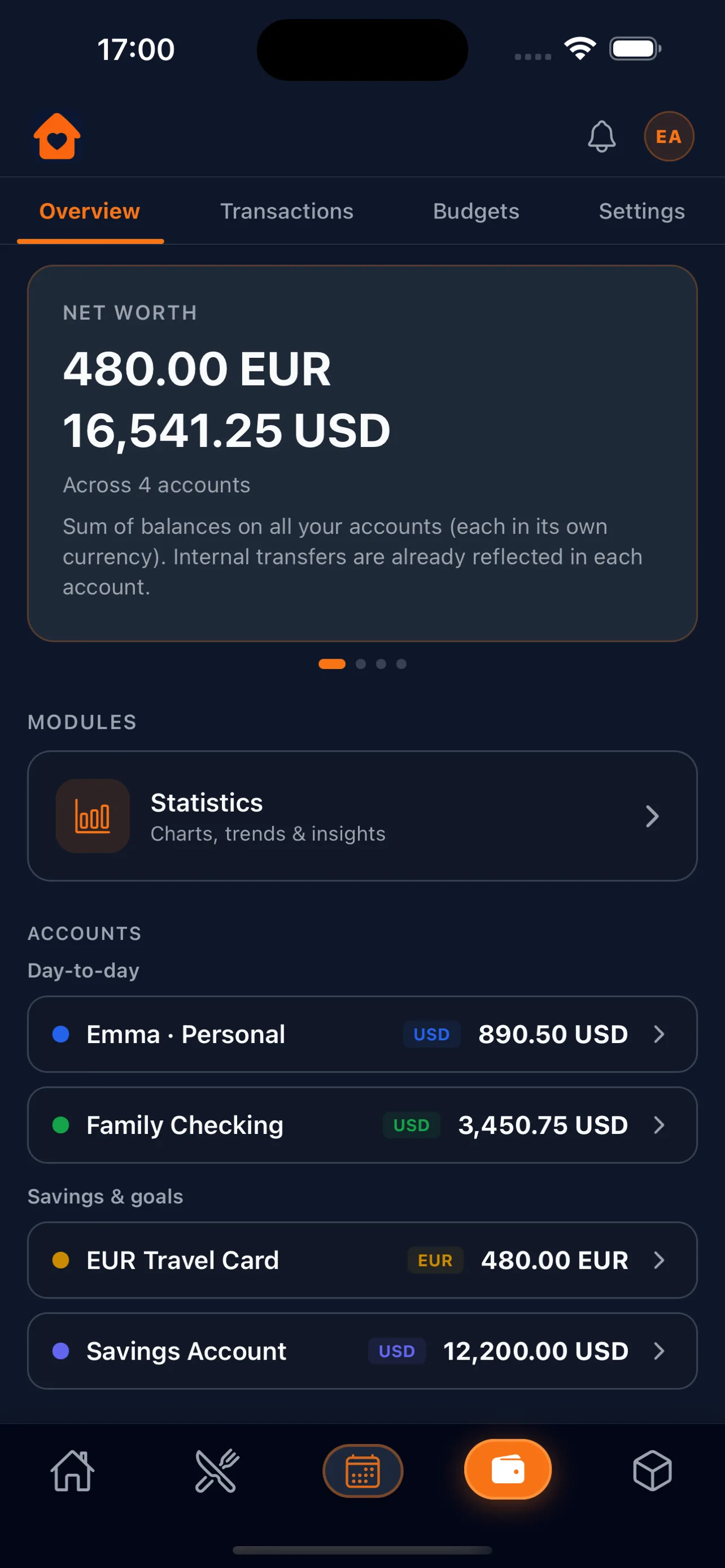
Money without a bank login
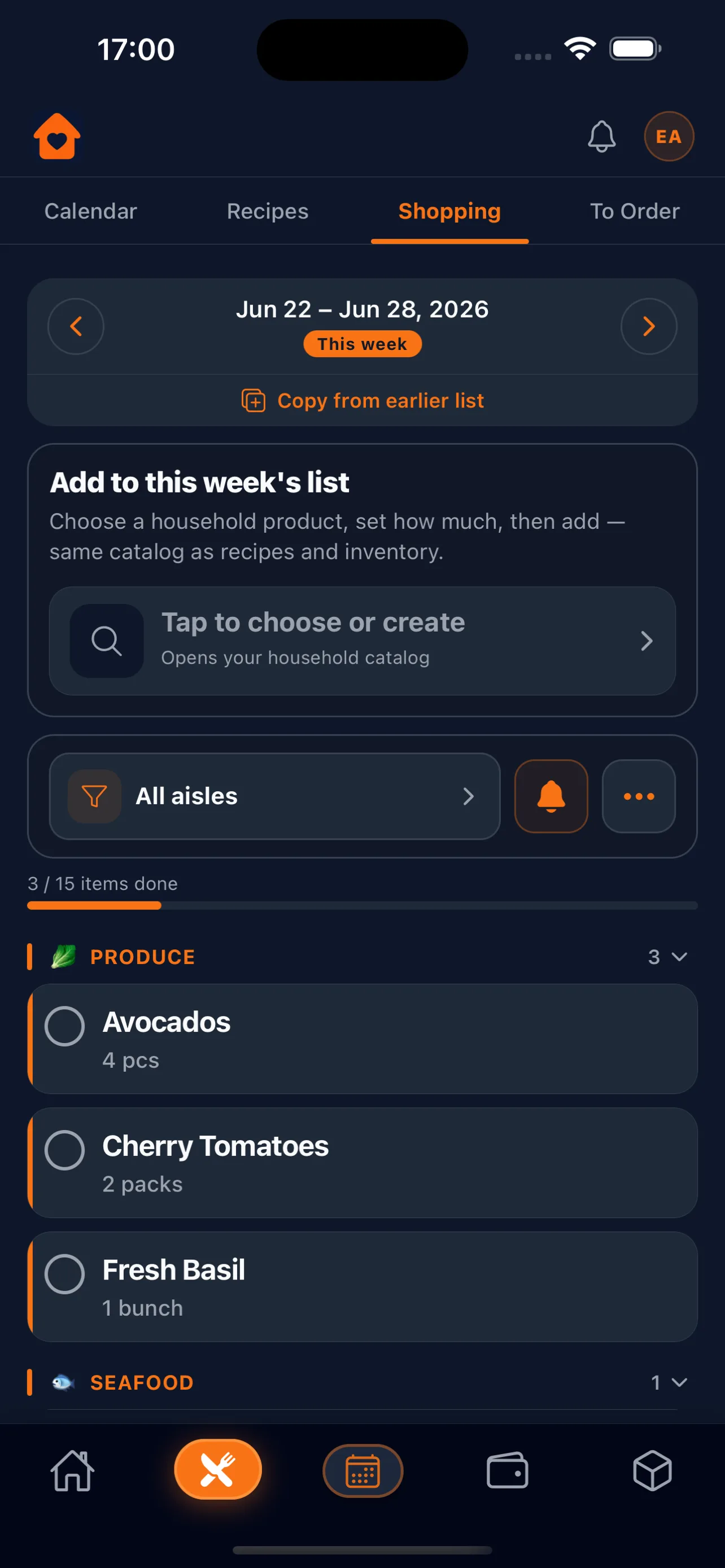
The list everyone uses
No long setup. Download, invite, ask.
Email on any device, Sign in with Apple on iPhone, or Google on iPhone and Android. No card. No subscription.
Name the home and share a code or QR. Admins approve new members before they join.
Plan the week, add a task, log a spend. Or just say it. Everyone sees the same picture.

Free on the App Store and Google Play. You confirm before GiKi saves a thing.